For Consultants
Get found by clients in the comments, not in their spam folder.
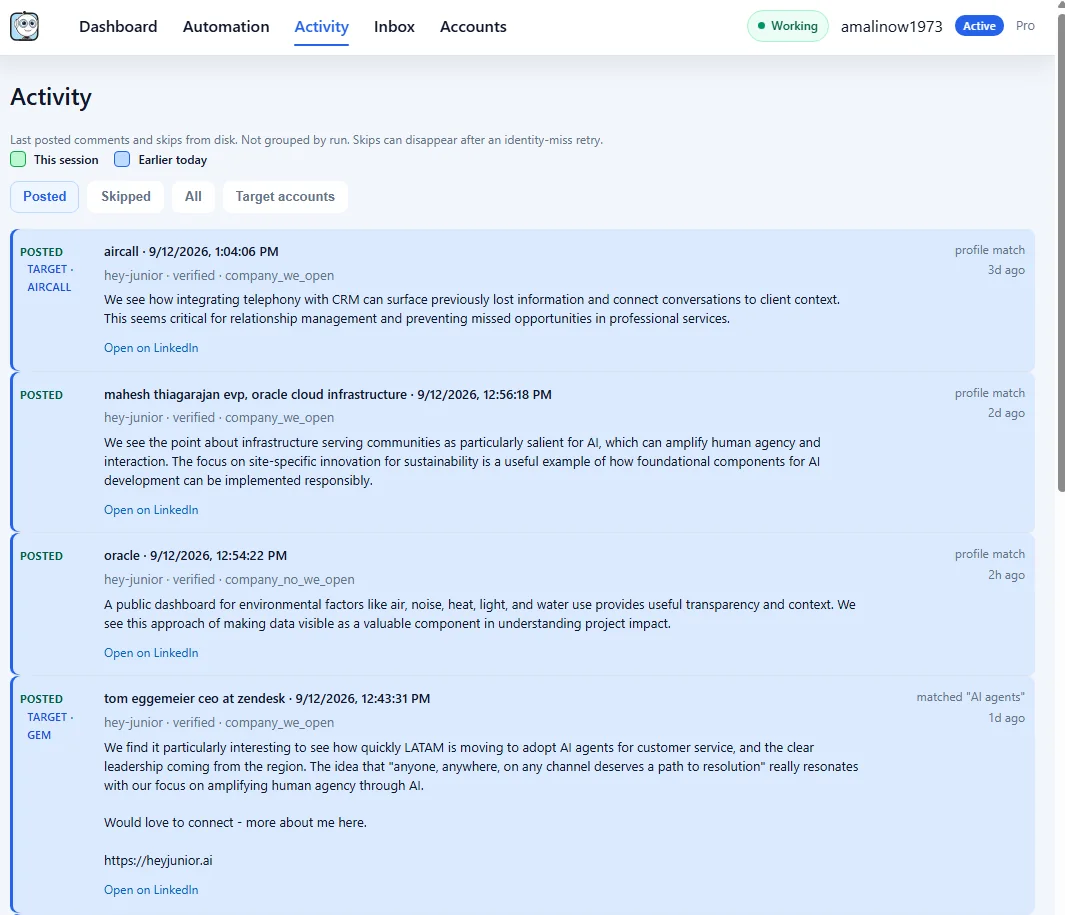
Junior comments on the LinkedIn posts your buyers already read, in your voice, so more of them discover you where the conversation is happening.
How consultants use Junior
- Comment on posts your ideal clients already read
- Show your expertise in a reply, not a pitch
- When someone answers, take it to a DM or a call
- Stay consistent without spending hours each day
The best opportunities are often in public problem-solving threads, not only inbound form fills.
Start free trial
Enterprise
Let your firm show up, not only you
On Enterprise, Junior comments as your firm's company page or as you, on the posts your prospective clients care about. Replies land in one inbox, ready for you to pick up.
- Comment as your company page or as you, with identity checks
- Target accounts: import your list and see a timeline per account
- Replies inbox with AI-drafted replies and optional auto-reply
- Up to 80 comments a day and priority support
14 days free, then $99/month. $0 today, cancel anytime. See all plans
Common consultant concerns
Will this sound generic?
Junior drafts comments from context and your positioning so replies feel natural and relevant.
Can this replace outbound strategy?
No. It strengthens your top-of-funnel visibility while your broader sales process stays in place.
How quickly can I use it?
Setup is straightforward and designed for non-technical users.